Session Analysis: VS Code v1.107 Release Live Stream
Session Analysis: VS Code v1.107 Release Live Stream
Recording Date: 2025-12-23
Analysis Date: 2025-12-24
Analyzed By: Dario Airoldi
Recording Link: VS Code YouTube Channel
Associated Summary: Summary.md
Executive Summary
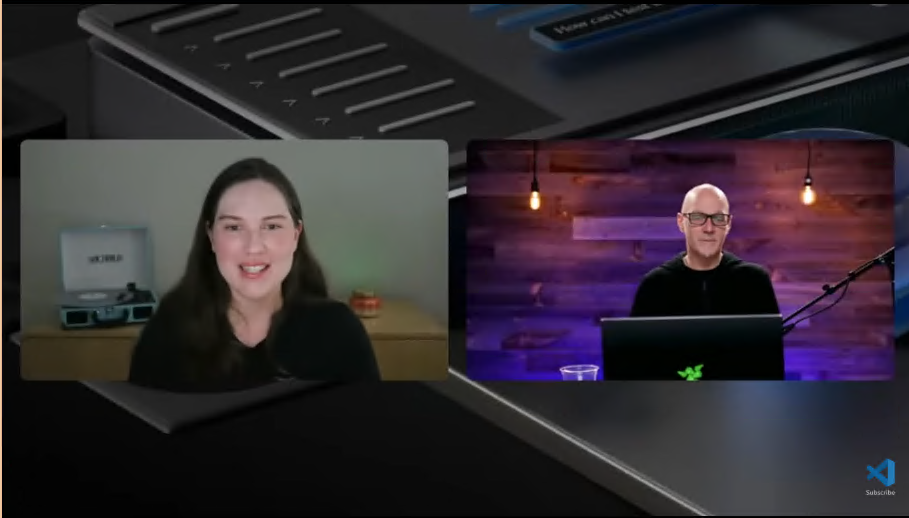
The VS Code v1.107 release livestream represents the capstone release of 2024, demonstrating the remarkable transformation of VS Code from a traditional code editor into an AI-native development platform. The session, led by Olivia Guzzardo McVicker with Engineering Manager Kai Maetzel, showcased how the team delivered on their vision of making agentic development accessible, customizable, and aligned with open-source principles.
The major themes centered on three paradigm shifts:
- Unified Agent Architecture - Local, background (work tree isolated), and cloud agents now operate seamlessly within a single interface, enabling developers to delegate tasks across execution contexts without workflow interruption
- Model Democratization - Bring-your-own-key (BYOK) and provider extensions (HuggingFace) give developers immediate access to cutting-edge models while maintaining cost control and privacy
- Protocol Maturity - MCP 1.0’s anniversary release brings production-ready features (tasks, sampling, elicitation) that enable sophisticated tool-model interactions
The session also highlighted the general availability of Microsoft’s first-party SQL Python driver, emphasizing cross-platform authentication and collaboration-focused design. The overarching message: VS Code is positioning itself as the definitive hub for AI-assisted development while remaining true to its open-source heritage.
Table of Contents
- 🎯 Year in Review and Strategic Direction
- Engineering Philosophy and Self-Hosting
- 2024 Achievements Overview
- 🤖 Unified Agentic Experience
- Agent HQ Interface
- Session Management and Delegation
- Work Tree Isolation
- 🧠 Model Management and BYOK
- Language Models Editor
- Provider Integration
- Quota and Cost Considerations
- 🔌 HuggingFace Integration
- Inference Providers
- Cost Optimization Features
- 🛠️ MCP Protocol Updates
- MCP Registry
- New Spec Features (Icons, Elicitation, Sampling, Tasks)
- GitHub MCP Server
- 🐍 SQL Python Driver GA
- Active Directory Default Authentication
- UV Package Management
- Jupyter Notebook Integration
- 📊 Technical Deep Dive
- Architecture Patterns
- Implementation Considerations
- 🎬 Appendix A: Demo Walkthroughs
- 📚 References
🎯 Year in Review and Strategic Direction
Start Time: 00:01:44 | Duration: 15m 11s
Speaker: Kai Maetzel (Engineering Manager, VS Code)
Key Concepts Discussed
The Transformation Arc
Kai Maetzel opened with a striking observation: at the beginning of 2024, VS Code had no agentic experience, no Next Edit Suggest (NES), and no “tap tap tap” workflow. By year-end, the team delivered:
- Full agent mode with local, background, and cloud execution paths
- Open-sourced AI capabilities to align with VS Code’s open-source principles
- Bring-your-own-key support for provider flexibility
- Copilot instructions, agent.md files, and Claude skills support
- Next Edit Suggest (NES) with language server integration
- Most complete MCP client implementation of any tool
Quote [03:24]: > “It’s like mindblowing as a year, right? We didn’t even have any agentic experience at the beginning of the year, right? We didn’t have NES, you know, next edit suggest and tap tap tap.”
Engineering Philosophy: Continuous Self-Hosting
The team’s approach to staying current involves:
- Competitive Analysis - Monitoring industry developments continuously
- Aggressive Self-Hosting - All team members run VS Code Insiders with pre-release extensions daily
- Rapid Iteration - When issues are discovered, new Insiders builds ship within hours
- Data Science Collaboration - Close work with AI labs for new model integration
- Community Feedback Integration - Incorporating PRs and issues into the development cycle
Quote [07:08]: > “We have there’s a reason we have the insiders release, right? There’s a reason sometimes the insider release all of a sudden stops rolling out because we realize, oh, wait a moment, there’s something not quite working the way it should. We push in new insiders, right? An hour later, you have a new build.”
v1.107 Release Highlights
Kai identified the following as standout features:
| Feature | Description |
|---|---|
| Agent HQ Refinements | Smoother experience for managing local/background/cloud agents |
| Work Tree Integration | Dropdown option to use work trees for background agent isolation |
| Claude Skills | Support for the growing Claude skills ecosystem |
| NES Language Server Integration | Rename refactoring detection and handoff to language servers |
| Thinking Token Visualization | Expanded support across Anthropic and other major models |
Forward-Looking Themes
Kai outlined emerging themes for 2025:
- Custom Agents - User-controlled agentic loops for specific use cases, testable and deployable across local/background/cloud
- Collaborative Planning - Multi-user planning sessions where agents, developers, and reviewers collaborate on complex task breakdowns
- Extended Collaboration - Continuing the OpenAI/Codex integration pattern with other providers
🤖 Unified Agentic Experience
Start Time: 00:16:55 | Duration: 12m 35s
Speaker: Brigit Murtaugh (Product Manager)
Agent HQ: The Unified Interface
The Agent HQ interface, introduced at Universe, received significant refinements in v1.107. The core innovation is presenting all agent sessions—regardless of execution context—in a single, manageable view.
Session Management Features
| Feature | Functionality |
|---|---|
| Recent Sessions List | Displays local, background, and cloud sessions with unified status |
| Read/Unread Markers | Blue dots indicate unread completed sessions; can be manually toggled |
| Filtering & Search | Filter by session type, search across session history |
| Archive Capability | Move completed sessions to archive for cleaner workspace |
| Expand to Sidebar | Full sidebar view for detailed session management |
The Delegation Model
A key architectural pattern is the seamless delegation flow between agent types:
Planning Mode → Local Agent → Background Agent → Cloud Agent
      ↓              ↓              ↓               ↓
   Creates      Implements     Isolates via      Creates
    Plan         Locally      Work Trees     Branch + PR
Continue In options available from:
- Chat view “Continue in” button
- Planning mode delegation dropdown
- Untitled prompt file button
Work Tree Isolation
Git work trees provide critical isolation for background agents:
- Automatic Creation - Background agent sessions can automatically create isolated work trees
- Conflict Prevention - Changes don’t interfere with local workspace modifications
- SCM Integration - Work trees visible in Source Control view
- Direct Apply - Action to integrate changes back into main workspace
Demo Summary [20:04-28:00]: Brigit demonstrated the dev containers website project:
- Started planning mode for “ways to make site more user friendly”
- Kicked off parallel local agent for “add testing instructions to readme”
- Created background agent with work tree for “add glossary page and link from readme”
- Delegated cloud agent for “add theme toggle” which auto-created PR
v1.107.1 Improvements
Released shortly after 1.107.0:
- Agent sessions view defaults to side-by-side layout
- Sessions requiring input are clearly marked
- Support for copying workspace changes when creating background sessions
- Chat prompt not cleared when creating new session
- Cloud session tool calls collapsed by default
🧠 Model Management and BYOK
Start Time: 00:29:30 | Duration: 10m 0s
Speaker: Logan Ramos (Engineer)
The Model Democratization Philosophy
Logan articulated the challenge driving BYOK:
Quote [36:32]: > “Each time you add a model to copilot, you take the pool of GPUs that are available and have to divide them… that makes it really really hard for us to provide everything.”
BYOK solves this by allowing developers to bring their own API keys for providers like Cerebras, OpenRouter, and Ollama.
Language Models Editor
The new centralized interface for model management:
| Capability | Description |
|---|---|
| Model Visibility Toggling | Hide unused models from picker for cleaner interface |
| Add Models from Providers | Activate additional providers without leaving editor |
| Search with Highlighting | Text search with match highlighting |
| Capability Filtering | Filter by vision (@vision:true), tools (@tools:true), visibility |
| Grouping Options | Organize by provider or visibility status |
| Model Information | Context size, capabilities, billing details at a glance |
Access via: Model picker in chat or Command Palette: Chat: Manage Language Models
BYOK Technical Details
| Aspect | Implementation |
|---|---|
| Quota Usage | BYOK models don’t consume GitHub Copilot quota |
| Subscription Requirement | Active Copilot subscription still required for background operations |
| Background Operations | GPT-4o Mini used for query refinement, commit messages, rename suggestions |
| Debug Logging | Full prompt logging available in output channel |
| Prompt Files | Markdown files with complete request/response data |
Demo Summary [30:38-38:00]: Logan demonstrated using Copilot Free account with Cerebras API:
- Added DeepSeek V3.2 via Cerebras
- Created complete VS Code product website in real-time
- Fixed broken image using “add element to chat” context feature
- Showed prompt logging in output channel for debugging
🔌 HuggingFace Integration
Start Time: 00:39:28 | Duration: 10m 50s
Speaker: Celina Hanouti (Software Engineer, Hugging Face)
Inference Provider Architecture
The HuggingFace Inference Provider extension brings state-of-the-art open-weights models to VS Code:
| Feature | Benefit |
|---|---|
| Single API | Access to multiple inference providers (Cerebras, Groq, Fireworks) |
| No Vendor Lock-in | Automatic provider selection for cost/speed optimization |
| Fastest Mode | Selects highest-performance provider for model |
| Cheapest Mode | Optimizes for cost-effective inference |
| Provider Filtering | View all models served by specific backend |
Cost Analysis
Celina provided real-world cost estimates:
- Typical feature implementation: ~20-30 cents with models like GLM-4.6
- Free HuggingFace account includes credits for testing
- Pro account provides additional monthly credits, then pay-as-you-go
Extension Independence Advantage
Quote [42:02]: > “The extension being outside of VS Code allows us to iterate faster add new features integrations bug fixes and all of that without relying on VS Code releases.”
Demo Summary [43:47-49:00]: Celina implemented a real GitHub issue for HuggingFace Hub Python SDK:
- Used GLM-4.6 via local agent mode
- Demonstrated real-time feature implementation
- Highlighted interactive refinement workflow
🛠️ MCP Protocol Updates
Start Time: 00:50:19 | Duration: 14m 40s
Speaker: Connor Peet (Engineer)
MCP Registry Integration
The new MCP registry is accessible via @mcp search in the extensions view:
| Server | Purpose |
|---|---|
| Playwright | Browser automation and testing |
| GitHub | Repository operations |
| Microsoft Learn | Documentation access |
| Wikipedia | Knowledge retrieval |
Key Features:
- One-click installation of curated servers
- Automatic startup on first chat message
- No manual configuration required
MCP 1.0 Spec Features
The anniversary release brought production-ready capabilities:
Custom Icons
- Servers and tools can now have custom icons
- Improves visual identification in tool lists
- Rocket icon example for custom servers
URL Mode Elicitation
- Servers can request input via web interfaces
- User navigates to URL, provides input, returns to tool
- Enables rich interaction patterns (sketch input, complex forms)
Traditional Elicitation
- Standard text/number/picker input requests
- Multi-select checkbox support
- Inline configuration within chat flow
Sampling
- MCP servers can make their own LLM requests on behalf of users
- Distinct requests, not part of original conversation
- Context passed via tool parameters
- Tool-calling in sampling coming soon (tracked on GitHub)
Tasks
- Durable, resumable operations
- Survive network issues and crashes
- Enable reliable long-running operations
- Stored state for reconnection
GitHub MCP Server (Preview)
Built-in remote MCP server provided by GitHub Copilot Chat extension:
| Feature | Description |
|---|---|
| Seamless Integration | Reuses existing GitHub authentication |
| Enterprise Support | Transparent GHE.com endpoint support |
| Toolset Configuration | github.copilot.chat.githubMcpServer.toolsets |
| Lockdown Controls | Additional security configuration |
Enable with: github.copilot.chat.githubMcpServer.enabled: true
Demo Summary [54:02-1:01:26]: Connor built a custom MCP server for website design:
- Used URL mode elicitation for sketch input
- Traditional elicitation for site configuration
- Sampling for content generation
- Demonstrated resource downloads and task durability
🐍 SQL Python Driver GA
Start Time: 01:04:59 | Duration: 24m 20s
Speaker: David Levy (Product Manager, SQL Server Drivers)
First-Party Python Driver Philosophy
Microsoft’s first first-party Python driver for SQL Server emphasizes:
| Principle | Implementation |
|---|---|
| Shareability | Single-line pip install with no dependencies |
| Cross-Platform | Active Directory Default works on Mac via VS Code token |
| Deployability | No DSN configuration or driver management needed |
| Collaboration | UV tool handles virtual environments automatically |
Active Directory Default Authentication
Quote [1:09:17]: > “We spent a lot of time doing making this work. The trick is you need to be logged in as your entry authentication account… you use an extension like Azure resources, you add that extension, you connect it to your Azure account and then you have VS Code authentication.”
Authentication Flow:
- Install Azure Resources extension
- Connect to Azure account
- VS Code stores authentication token
- SQL Python driver picks up token automatically
- No repeated authentication prompts required
Note: Active Directory Default tries all authentication options sequentially—suitable for development/sharing, not recommended for high-traffic production apps.
UV Package Management Integration
UV (pronounced “you-vee”) simplifies Python project management:
| Operation | Traditional | With UV |
|---|---|---|
| Initialize Project | Multiple files/scripts | uv init . |
| Install Dependencies | pip install -r requirements.txt |
Automatic on first run |
| Run Script | python main.py |
uv run main.py |
| Share Project | Include venv (huge) | Delete venv, share text files only |
| Recipient Setup | Manual environment setup | Just uv run main.py |
Jupyter Notebook Use Cases
David highlighted notebook applications for data professionals:
- Runbooks - Step-by-step troubleshooting documentation with executable SQL
- Junior Developer Training - Guided task execution with explanations
- Rapid Prototyping - Quick visualization with Pandas and charts
Roadmap Features
| Feature | Status |
|---|---|
| BCP Streaming | In development - bulk data loading |
| SQL Alchemy Compatibility | Final fixes shipping soon |
| Streamlit Integration | Quick start available |
Demo Summary [1:08:47-1:23:30]:
- Demonstrated UV-managed project with single-command setup
- Showed Active Directory Default authentication on Mac
- Created rich console output with spinners
- Built Jupyter notebook with Pandas dataframe and bar chart visualization
📊 Technical Deep Dive
Architecture Patterns Identified
1. Execution Context Abstraction
VS Code’s agent architecture abstracts execution context while maintaining consistent interface:
┌─────────────────────────────────────────────────────────┐
│                    Agent HQ Interface                    │
├─────────────────────────────────────────────────────────┤
│  Local Agent  │  Background Agent  │   Cloud Agent      │
│  (Foreground) │  (Work Tree)       │   (GitHub PR)      │
├───────────────┼────────────────────┼────────────────────┤
│  Same IDE     │  Isolated FS       │  Remote Execution  │
│  Immediate    │  Async Completion  │  Async + PR        │
│  No Isolation │  Git Work Tree     │  New Branch        │
└───────────────┴────────────────────┴────────────────────┘
2. Model Provider Abstraction
The BYOK system creates uniform interface across providers:
┌──────────────────────────────────────┐
│       Copilot Chat Interface          │
├──────────────────────────────────────┤
│         Model Picker + Editor         │
├────────┬───────────┬────────┬────────┤
│ GitHub │ Cerebras  │ HFace  │ Ollama │
│Copilot │ API Key   │Provider│ Local  │
└────────┴───────────┴────────┴────────┘
3. MCP Tool-Model Interaction
The new MCP spec enables sophisticated patterns:
User Request
    ↓
Model Processing
    ↓
MCP Tool Call ←────→ URL Elicitation
    ↓                    ↓
Sampling Request → Model (on behalf)
    ↓
Task Creation → Durable State
    ↓
Resource Return → Download
Best Practices Extracted
- Work Tree Usage - Use work trees for background agents when multiple parallel tasks might modify same files
- Model Selection - Choose tool-supporting models for agentic workflows; vision models only when needed
- Prompt Debugging - Enable output channel logging for BYOK models to inspect full prompts
- MCP Server Icons - Implement custom icons for better tool identification
- Authentication Defaults - Use Active Directory Default for development/sharing; specific auth for production
Common Pitfalls Identified
- Local Agent Conflicts - Multiple local agent sessions can create conflicting file changes
- Model Capability Mismatch - Using non-tool-calling models for agentic tasks degrades experience
- AD Default Performance - Active Directory Default has overhead from trying multiple auth methods
- Sampling Without Tools - Current sampling implementation doesn’t support tool-calling (coming soon)
🎬 Appendix A: Demo Walkthroughs
Demo 1: Unified Agent Experience (Brigit Murtaugh)
Timestamps: 18:03-28:17
Steps:
- Open chat panel via toggle chat button
- View recent sessions list at top
- Click expand button for agent sidebar
- Archive sessions via right-click menu
- Filter/search sessions
- Create planning mode session: “ways to make my site more user friendly”
- Let session continue in background
- Create new local agent session: “add testing instructions to readme”
- Create background agent with work tree: “add glossary page to my site”
- Observe work tree creation in SCM view
- Create cloud agent: “add a theme toggle to my site”
- View auto-created branch and PR
Demo 2: Model Management (Logan Ramos)
Timestamps: 30:00-38:00
Steps:
- Open model picker in chat
- Click “Manage Models”
- View providers list (Copilot, Cerebras, OpenRouter, Ollama)
- Hide unused models (GPT-4, GPT-4.1)
- Filter by capability (vision, tools)
- Add DeepSeek V3.2 from Cerebras
- Create website: “Create me a website of VS Code showing product info”
- Fix broken image with “add element to chat”
- View prompt logs in output channel
Demo 3: HuggingFace Provider (Celina Hanouti)
Timestamps: 42:50-49:00
Steps:
- Open model picker, click Manage Models
- Add models, select HuggingFace
- Enter HuggingFace access token
- Filter by provider (fireworks)
- Select fastest/cheapest mode
- Choose GLM-4.6 with fastest provider
- Implement GitHub issue using local agent mode
- Review and iterate on implementation
Demo 4: MCP Features (Connor Peet)
Timestamps: 51:36-1:01:44
Steps:
- Type
@mcpin extensions view - View curated MCP servers (Playwright, GitHub, Wikipedia)
- Add custom MCP server:
localhost:3000/mcp - View custom icons on tools
- Call start_project tool
- Use URL mode elicitation for website sketch
- Use traditional elicitation for site config
- Generate content with sampling
- Download resources (HTML, images)
- Observe task durability features
Demo 5: SQL Python Driver (David Levy)
Timestamps: 1:06:47-1:23:30
Steps:
- Review project structure with UV
- Examine environment file with Active Directory Default
- Run
uv run main.py- automatic venv creation - View rich console output with spinners
- Delete virtual environment folder
- Run
uv run main.pyagain - auto-recreates - Open Jupyter notebook
- Run imports cell
- Execute query and display table
- Create Pandas dataframe
- Generate bar chart visualization
📚 References
Official Documentation
VS Code v1.107 Release Notes [📘 Official]
Complete official release notes for VS Code v1.107 (November 2025 release). Includes all features demonstrated in livestream plus additional updates not covered in the recording, including v1.107.1 improvements. Essential reference for comprehensive feature list and detailed documentation.
GitHub Copilot Documentation [📘 Official]
Comprehensive official GitHub Copilot documentation covering setup, customization, bring-your-own-key configuration, and agent features. The authoritative source for all Copilot capabilities and best practices including model management and provider integration.
VS Code Agents Tutorial [📘 Official]
Official tutorial for agent workflows covering local, background, and cloud agents. Demonstrates unified agent experience and delegation patterns shown in v1.107 release. Essential reading for understanding the agent architecture.
MCP Protocol Specification [📘 Official]
Official Model Context Protocol specification including the 1.0 anniversary release features. Documents tools, sampling, elicitation, tasks, and resource patterns. Required reading for MCP server developers.
Microsoft SQL Python Driver [📘 Official]
Landing page for Microsoft’s first-party SQL Python driver including quick starts, documentation wiki, and GitHub repository links. Contains UV integration examples and Active Directory authentication patterns.
Session Materials
VS Code Release Stream Recording [📘 Official]
Full session recording from VS Code YouTube channel covering all demos and Q&A segments referenced in this analysis. Subscribe for monthly release coverage.
AI Dev Days Session: Unified Agent Experience [📘 Official]
Deeper dive session by Josh Valdo on unified agent architecture referenced by Brigit Murtaugh. Provides additional context on local/background/cloud agent implementation patterns.
AI Dev Days Session: MCP Deep Dive [📘 Official]
Follow-up session by Connor Peet and Tyler on advanced MCP features. Covers sampling with tool-calling, tasks, and custom server development in greater detail.
Extension Marketplace
HuggingFace Inference Provider Extension [📘 Official]
Official extension for using HuggingFace models in VS Code Copilot Chat. Provides access to open-weights models via multiple inference providers with automatic cost/speed optimization. Updated independently of VS Code releases.
GitHub Pull Request Extension [📘 Official]
Official GitHub extension providing enhanced PR integration with cloud agent sessions. Enables in-editor PR review, checkout, and change application.
Azure Resources Extension [📘 Official]
Official Azure extension providing authentication token sharing for SQL Python driver Active Directory Default authentication on Mac/Linux.
Community Resources
UV Package Manager [📗 Verified Community]
Fast Python package and project manager from Astral. Handles virtual environments, package installation, and project initialization in a single tool. Recommended by Microsoft for SQL Python driver project sharing.
Rich Console Library [📒 Community]
Python library for rich text and beautiful formatting in terminal. Used in SQL Python driver demos for progress spinners and formatted tables. Excellent for creating polished CLI applications.
Analysis Type: Technical
Confidence Level: High
Tags: vscode, release, agentic-development, mcp, byok, model-management, sql-python, huggingface